Turning My Linux Desktop into Infrastructure as Code#
At some point, dotfiles stop being enough.
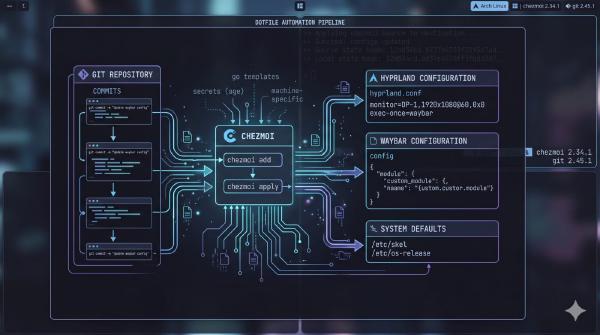
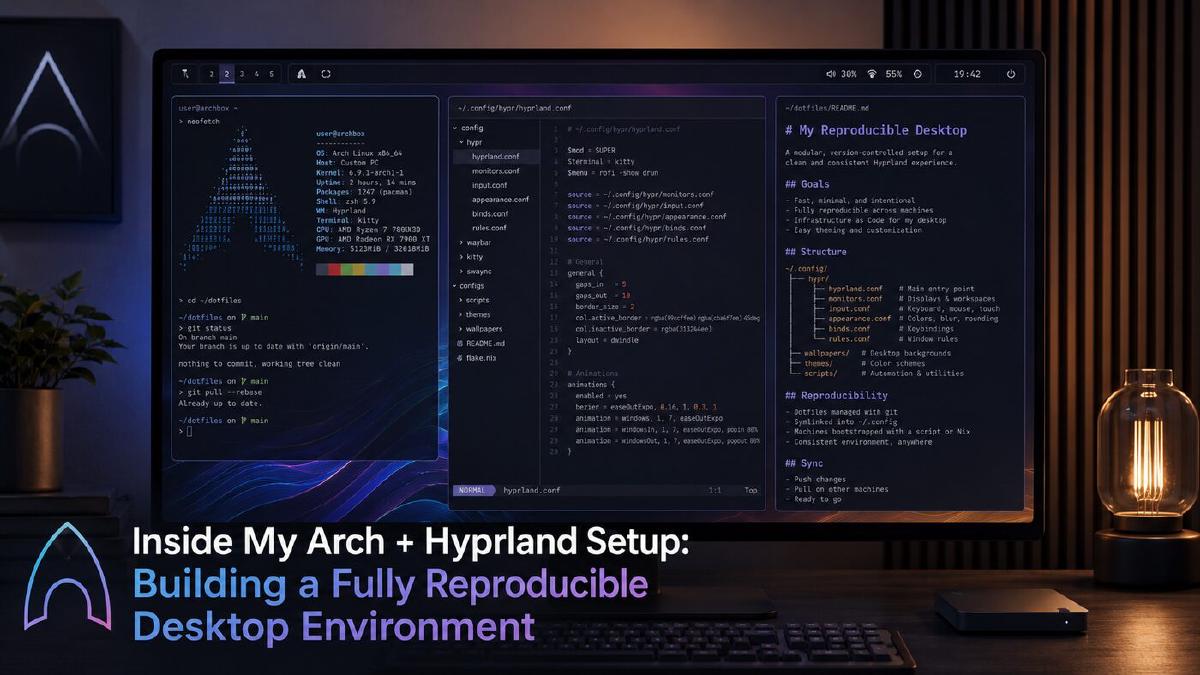
Managing my Hyprland config, Waybar setup, kitty theme, shell aliases, wallpaper-driven colors, and application preferences with chezmoi gets me a long way. It means my environment feels familiar across machines. It means my config is versioned. It means I can roll back bad ideas instead of trying to remember what file I edited at 1 AM.
But dotfiles only solve one layer of the problem.
They do not install the packages those configs depend on. They do not enable the services my desktop expects to be running. They do not decide whether this machine needs NVIDIA-specific packages, laptop power management, Bluetooth, Docker, development tooling, screenshot utilities, clipboard helpers, or the right AUR packages.
That is where the rebuild story starts to get messy.
My goal for this part of the series is simple:
I want to be able to take a fresh Arch machine and turn it into my working Linux desktop in roughly 15 minutes.
Not because I reinstall constantly. Not because shaving a few minutes off setup time is life-changing. The real value is confidence.
If my laptop dies, I can rebuild. If my desktop gets weird, I can start clean. If I buy a new machine, I am not spending an entire weekend remembering every package, service, and tweak I rely on.
This post is about expanding my dotfiles into something closer to Infrastructure as Code for my workstation.
The Problem: Dotfiles Are Not the Whole System#
In the previous parts of this series, I focused heavily on reproducibility:
- Hyprland config structure
- modular config files
chezmoifor dotfile management- wallpaper-driven theming
- keeping multiple machines in sync
- avoiding a bloated desktop setup
That solved the “how do I keep my config clean?” problem.
But a Linux desktop is more than config files.
My Hyprland setup depends on a collection of packages and services. Some are obvious. Some are easy to forget until they are missing.
For example, a Wayland desktop might need tools for:
- display management
- authentication agents
- screenshots
- screen recording
- clipboard history
- notifications
- portals
- PipeWire audio
- Bluetooth
- fonts
- themes
- terminal tools
- development tools
- Docker
- browsers
- editor tooling
- AUR packages
- hardware-specific drivers
The problem is not installing these one time. The problem is remembering the full shape of the system six months later.
That is where I want my setup to become more intentional.
I do not want my desktop to be a pile of manually installed packages and undocumented assumptions. I want it to look more like the infrastructure I manage professionally:
- declarative where practical
- version-controlled
- repeatable
- split by concern
- safe to run more than once
- aware of machine-specific differences
In other words, I want my workstation to be treated like infrastructure.
The Goal: A New Machine in 15 Minutes#
The target state is not a fully automated bare-metal Arch installer.
At least not yet.
For now, I am assuming a base Arch install already exists with:
- networking working
- a user account created
sudoconfigured- Git installed
- internet access available
- disk partitioning already handled
- the system booted and usable from a TTY or minimal environment
That is a practical starting point.
From there, I want to clone my dotfiles repository, run one bootstrap command, and let the machine converge into my preferred environment.
Something like this:
| |
The bootstrap process should handle:
- Installing required
pacmanpackages - Installing
yayif it is not already present - Installing AUR packages
- Applying my
chezmoidotfiles - Enabling system services
- Enabling user services
- Handling machine-specific differences
- Leaving me with a usable Hyprland workstation
That is the vision.
The important part is that this script should be safe to rerun. A rebuild script that only works once is not automation. It is a fragile install recipe.
Repository Structure#
Before writing the script, I want a clean structure.
I already use chezmoi, so the dotfiles repository is the obvious home for this. But I do not want one giant script filled with every package, service, and conditional branch.
I want the repo to be readable.
A structure like this makes sense:
| |
This keeps the system split into logical pieces:
- package lists live in
packages/ - service lists live in
services/ - reusable scripts live in
scripts/ chezmoistill owns the actual home directory config
This is the same principle I use when organizing infrastructure or application code: separate intent from implementation.
The package files describe what I want installed. The scripts describe how to install them. The dotfiles describe how I want the environment configured.
Package Bootstrapping with pacman#
The first layer is official Arch packages.
I want these package lists to be boring text files. One package per line. Comments allowed. Blank lines ignored.
For example:
| |
Then a desktop-specific list:
| |
And a development list:
| |
The install script can read all of these files and pass the packages into pacman.
| |
The key flag here is:
| |
That makes the script rerunnable. If a package is already installed, pacman does not reinstall it unnecessarily.
This is one of the most important habits in workstation automation: make every step idempotent where possible.
AUR Bootstrapping with yay#
I use yay for AUR packages.
That means the bootstrap process needs to account for two cases:
yayis already installedyayis missing and needs to be built
I do not want to assume the machine already has everything.
Here is a simple install-yay.sh:
| |
Then I can manage AUR packages the same way as official packages:
| |
Hyprland and desktop niceties may also end up here depending on what I choose to install from the AUR:
| |
And the AUR install script:
| |
This gives me a clean split:
pacmanfor official repo packagesyayfor AUR packages- text files for package intent
- scripts for installation behavior
It is simple, but that is the point.
The Main Bootstrap Script#
The top-level bootstrap.sh should be boring and readable.
I want to be able to open it a year from now and immediately understand the provisioning flow.
| |
This is intentionally plain.
The orchestration script should not contain every detail. It should describe the order of operations.
The scripts underneath it can handle the details.
System Services#
Packages are only part of the workstation. The next layer is services.
On a typical Arch desktop, there are system-level services I expect to be available.
Examples:
| |
Then the enable script:
| |
This gives me a simple place to add or remove system services without editing shell logic.
If I decide Docker should not run on a certain machine, I can handle that later through host-specific package and service lists.
User Services#
User services are just as important on a Wayland desktop.
This could include things like:
- user-level sync tools
- notification helpers
- theme watchers
- wallpaper daemons
- custom scripts
systemd --usertimers- anything that should run as my user instead of root
A user service list may look like this:
| |
And the script:
| |
One gotcha here is that user services require a working user session. Depending on where the bootstrap script is run from, some user-level services may not behave exactly the same from a TTY as they do inside a graphical session.
That is why this process needs to be practical, not overly magical. I am fine with the script getting the machine 95% of the way there and telling me when a reboot or login cycle is required.
Applying chezmoi#
Once the required packages exist, chezmoi can safely apply my dotfiles.
This order matters.
If my dotfiles reference binaries that are not installed yet, I do not want the first run to be noisy or broken. So the flow should be:
- install packages
- install AUR packages
- apply dotfiles
- enable services
- reboot or log out/in
The chezmoi step itself is simple:
| |
But this is where the workstation starts to feel like mine again.
This brings back:
- Hyprland config
- Waybar config
- kitty config
- shell config
- Git config
- theme files
- scripts
- application preferences
- machine templates
The dotfiles are still the core of the setup. The bootstrap script just makes sure the machine is ready for them.
Handling Machine-Specific Differences#
This is where things get interesting.
My desktop and laptop are not identical. Different machines may need different packages, services, and config values.
The obvious examples are:
- NVIDIA vs AMD graphics
- desktop monitor layout vs laptop display
- work machine vs personal machine
- laptop battery tools
- Bluetooth requirements
- hostnames
- input devices
- docking station behavior
- machine-specific Hyprland monitor rules
- secrets and SSH keys
- work-only packages
This is exactly where chezmoi templates start to make sense.
I do not want to maintain completely separate dotfile repos for every machine. That defeats the purpose. I want one repo with conditional behavior.
A simple first step is to have chezmoi prompt for machine type during initialization.
For example, a .chezmoi.toml.tmpl:
| |
Then inside a Hyprland template, I can branch:
| |
That is the kind of difference I want chezmoi to own.
For package and service differences, I can add machine-specific package lists.
| |
Then the bootstrap script can decide what to install based on detected or configured machine data.
A simple version could read the hostname:
| |
That is not perfect, but it is easy to understand.
Long-term, I may prefer chezmoi data for this instead of duplicating machine metadata in Bash. The important part is keeping the machine-specific logic explicit. I do not want hidden assumptions.
Example Machine Detection Script#
Here is a starting point:
| |
That script could be sourced by the bootstrap process:
| |
Then I can conditionally install packages:
| |
A laptop package file may include:
| |
An NVIDIA file may include:
| |
I would rather start simple and improve this over time than try to build the perfect abstraction on day one.
Secrets Do Not Belong in Dotfiles#
One thing I am not trying to do is store secrets directly in this repo.
SSH keys, API tokens, work credentials, private environment files, and anything sensitive need a separate strategy.
For now, the bootstrap process can create the expected directories and leave reminders.
| |
That is not fully automated, but it is safe.
Eventually, this could integrate with a proper secret manager. But I would rather have one manual step than accidentally commit something sensitive into a dotfiles repo.
This is one of those places where infrastructure discipline matters. Reproducibility is good. Accidentally syncing secrets everywhere is not.
Making It Safe to Rerun#
This is probably the most important part of the whole setup.
A good bootstrap script should not be a one-time install bomb. It should be safe to run again after I edit a package list, add a new service, or change part of the environment.
That means:
- use
pacman -S --needed - use
yay -S --needed - avoid destructive commands
- do not overwrite secrets
- do not blindly delete files
- keep package lists additive
- make service enablement repeatable
- let
chezmoihandle dotfile diffs - print what the script is doing
The script should be boring.
Boring automation is good automation.
The First Full Bootstrap Draft#
Putting the pieces together, here is what an early version of the main script could look like:
| |
This is not the final form forever. That is fine.
The point is to establish the pattern:
- define packages in files
- define services in files
- keep scripts small
- detect machine differences
- apply dotfiles after dependencies exist
- make the system rebuildable
Gotchas and Edge Cases#
This kind of setup sounds clean, but there are always rough edges.
AUR Packages Can Break#
AUR packages are not the same as official repo packages. Builds can fail. Maintainers can change things. Dependencies can shift.
That is why I do not want the entire system to depend on a fragile chain of AUR packages. Anything critical should come from the official repos when possible.
User Services May Need a Real Session#
Some systemd --user services behave differently depending on whether I run the script from a TTY, SSH session, or inside the actual graphical environment.
For first bootstrapping, I am okay with enabling what I can and rebooting.
NVIDIA Is Always Its Own Chapter#
NVIDIA on Wayland can still be weird depending on driver versions, kernel, display manager, and Hyprland behavior.
I do not want NVIDIA-specific environment variables sprinkled randomly through my config. They should be isolated behind templates or dedicated config sections.
Monitor Names Are Not Universal#
Hyprland monitor configs can break when display names change.
A desktop with multiple monitors needs different rules than a laptop. A docked laptop may need another set entirely.
This is a perfect use case for chezmoi templates or imported host-specific Hyprland config files.
Some Things Should Stay Manual#
Not everything needs to be automated immediately.
Examples:
- restoring SSH private keys
- logging into browsers
- authenticating password managers
- enrolling work accounts
- pairing Bluetooth devices
- setting up proprietary applications
The goal is not zero manual steps. The goal is eliminating the dumb, repetitive, error-prone setup work.
Final Thoughts#
This is the point where my Linux desktop starts becoming more than a custom setup.
It becomes a system.
The dotfiles are still important, but they are only one part of the rebuild story. The real win is being able to describe the entire workstation in code:
- what packages it needs
- what services should run
- what configs should apply
- what differs between machines
- what should stay manual
- what can be safely repeated
That is the same mindset I use when working with cloud infrastructure.
A server should not be a mystery. A deployment should not depend on tribal knowledge. A workstation should not either.
My end goal is a Linux desktop that I can rebuild quickly, understand completely, and carry across machines without dragging years of accidental cruft along with it.
That is what “new machine in 15 minutes” really means.
Not perfection.
Confidence.