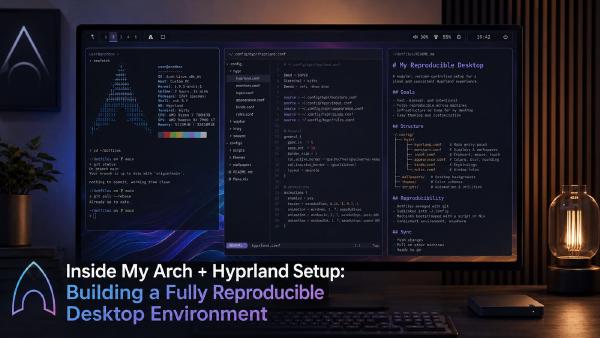
I’ve landed on a fairly opinionated conclusion over the years: dotfiles management only works when it disappears into your workflow. The moment I have to “think about syncing configs,” I stop maintaining it.
That’s why I eventually standardized on chezmoi backed by a plain Git repository, with a fully automated apply model across my Arch + Hyprland environment.
This isn’t a “nice dotfiles setup.” It’s a repeatable machine bootstrap system.
Why I Moved Away From Traditional Dotfile Management#
Before chezmoi, I went through the usual phases:
- Bare Git repo in
$HOME - GNU Stow symlink farms
- Manual rsync scripts between machines
- Half-baked Ansible attempts
They all fail for the same reason:
They assume your dotfiles are static configuration, not environment-specific infrastructure.
In reality, my setup is very dynamic:
- Arch Linux desktop with Hyprland + Wayland-specific configs
- Frequent UI/WM tweaks (Hyprland binds, animations, monitors)
- Secrets that must never leak but still need templating (AWS creds, tokens, SSH config fragments)
- Rapid iteration between “experiment” and “stable” configs
What I needed was:
- A single source of truth
- Machine-aware configuration
- Secret handling built-in
- Zero manual syncing
That combination is where chezmoi actually fits properly.
The Core Architecture I Use#
At a high level:
| |
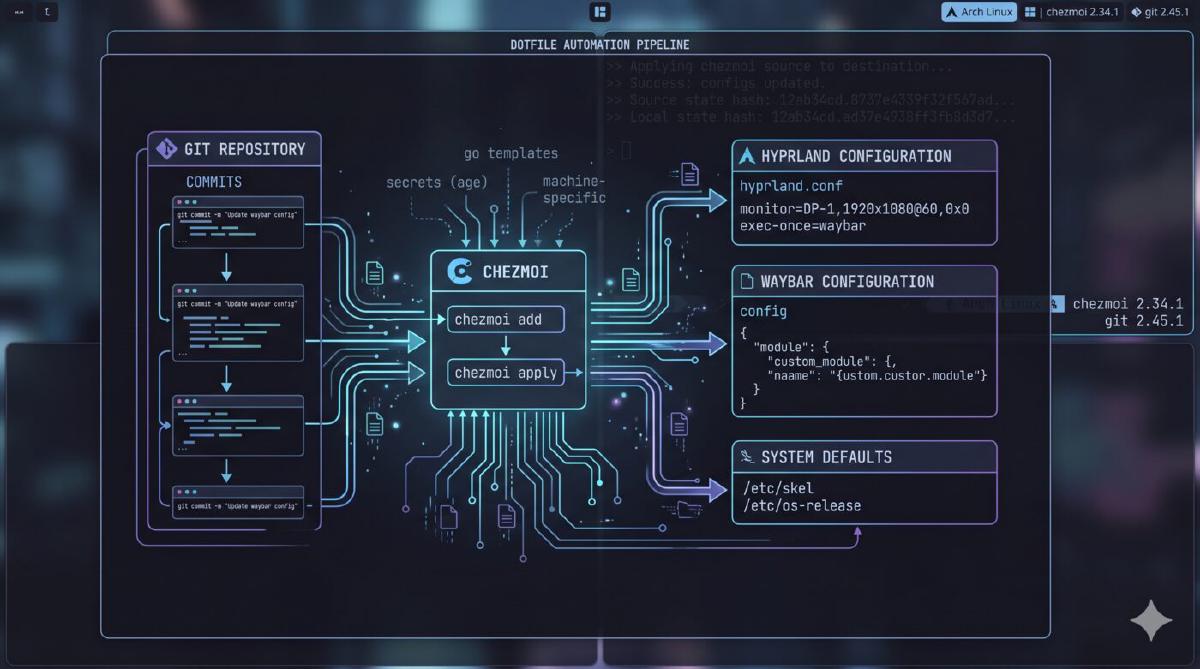
But the important part isn’t structure—it’s flow:
My workflow model#
- I edit files inside the chezmoi source directory
- I commit to Git
- Any machine pulls automatically
- chezmoi applies changes idempotently
- Templates resolve per-machine differences
There is no “sync step.” There is only “state convergence.”
Initial Setup (How I Bootstrap a Machine)#
On a fresh Arch install:
| |
From that point on, the machine is “owned” by the dotfile system.
I don’t manually configure:
- shell
- Hyprland
- git
- SSH
- tooling aliases
- environment variables
Everything is declarative.
File Layout Strategy#
I structure my repo like this:
| |
Key idea:
If it exists on disk, it exists in chezmoi.
Even “messy” configs like Hyprland benefit from this. I don’t treat them as sacred—I treat them as reproducible artifacts.
The Real Power: Machine-Aware Templates#
This is where chezmoi becomes more than a dotfile manager.
I heavily use templating for environment differences.
Example: .zshrc.tmpl
| |
This allows me to treat each machine like a role, not a special snowflake.
Secrets Handling (The Part Most People Get Wrong)#
I do not store plaintext secrets in Git.
Instead:
private_*files are encrypted- templates inject them at render time
- secrets never exist in final repo state
Example:
| |
| |
This is a bad example as we are all using aws login right? right? RIGHT!?
I prefer template-driven injection rather than static encrypted blobs because:
- rotation is easier
- I don’t need to “re-encrypt repo”
- secrets stay external to state management
You can swap the backend (GPG/age/Vault/Bitwarden CLI). The key idea is:
chezmoi manages shape, not secret lifecycle.
Fully Automated Mode (My Real Setup)#
This is where most dotfile systems stop—but mine doesn’t.
I run chezmoi in an automated reconciliation loop.
Systemd user timer (Arch)#
| |
Service:
| |
Enable:
| |
Why this matters#
Instead of:
- remembering to sync configs
- manually pulling changes
- drift accumulating silently
I get:
- continuous reconciliation
- immediate config propagation
- zero friction iteration loop
Hyprland-Specific Wins#
Hyprland configs change a lot—bindings, animations, monitor layouts.
Example:
| |
This alone eliminates 90% of my “why is my layout broken on this machine?” problems.
Git Workflow Model#
My repo is intentionally boring:
main= production state- feature branches = experiments
- no untracked local divergence allowed
Workflow:
| |
Then every machine converges automatically.
Gotchas and Edge Cases#
1. Bootstrapping chicken-and-egg problem#
SSH keys + Git access must exist before init.
Solution:
- initial bootstrap uses HTTPS
- SSH keys injected after first apply
2. Drift during experimentation#
If I manually tweak configs outside chezmoi, automation overwrites them.
That’s intentional—but dangerous if you forget.
Mitigation:
| |
Becomes part of my debugging loop.
3. Template complexity creep#
It’s easy to over-template everything.
Rule I follow:
If a template has more than 2 conditions, it’s probably wrong.
4. Hyprland reload behavior#
Some changes require manual reload:
| |
I don’t automate this because it can interrupt sessions unexpectedly.
Why This Works So Well for My Setup#
The real reason chezmoi works in my environment:
- I run a single main workstation (Arch + Hyprland)
- I frequently rebuild or test configs
- I care about reproducibility more than portability
- I want zero manual “sync thinking”
This turns dotfiles into:
a declarative system configuration layer for my desktop environment
Not a backup system.
Not a sync tool.
A state engine.
If I Were Starting Today#
I would do exactly this again:
- Initialize chezmoi early
- Treat
$HOMEas managed infrastructure - Automate apply via systemd timer immediately
- Use templates aggressively—but not excessively
- Keep secrets external and injected